How Can a Turnstile Scanner Connect Ticketing and Pedestrian Access in 2026?
What Does a Turnstile Scanner Actually Check?
A turnstile scanner reads a credential. This item could be a QR code. It might also be a printed ticket or an access card. Sometimes, it is another format that the local access system supports. The reader takes this data. Next, it sends the details to the main system. That system finally decides if entry is permitted.
Making that decision is quite different from physically letting a person walk through. A good scan needs to open the correct lane. It must open in the proper direction. It also needs to stay open for a specific time. Next, sensors and the turnstile’s controller handle the actual movement. Simply put, the scanner identifies the user’s credential. Then, the access system gives approval. Finally, the turnstile controls the physical pedestrian lane.
Keeping these separate tasks clear makes fixing problems much easier. Suppose a ticket gets rejected. The issue might be an expired ticket. Alternatively, the scanner might have failed to read it properly. Sometimes, a green light shows up, but the lane stays locked. In that case, the fault likely lies in the controller connection. It could also be an issue with the gate settings. A turnstile scanner acts as just one piece of the whole entry process.
A scan is not the same as permission to pass
A code can be read successfully by a scanner. But that exact code may not be entered. Ticketing software has a few validations to do with. It checks if the ticket is still valid. It verifies whether someone else has already used it. And it also checks if the ticket is for that entry or time slot. The turnstile must receive a very definitive answer It also should never guess the ticket rules or try to interpret them.
This is very important when people come in groups. For example, a turnstile at an underground metro station would suddenly be inundated with users when a train is about to depart. After a huge event, it’s common for multiple people to walk up together on school campuses or at sports centers. A fast scan certainly helps. Yet you also require predictable response for both correct and invalid credentials. This consistent presence ensures that the line flows freely.
The turnstile completes the pedestrian journey
After getting approval, the turnstile has to unlock the right lane. It must let exactly one person walk through based on local site rules. The system might also need to record that specific movement. This step is highly important when a ticket allows only one single entry. Sometimes, the system accepts a credential, but the person does not walk through. In this situation, the operator needs to know what happens next. They must know if the approval expires, stays active, or requires a staff member to help.
Paying attention to this small detail prevents a lot of confusion. A visitor might scan their card twice if the first screen response seems confusing. Doing this can trigger a false duplicate-use alarm. Bright indicator lights and an easy-to-read display help a lot. Having a clear manual procedure for the staff also improves the overall experience. These elements work much better than just depending on the scanner hardware alone.
Why this distinction matters at busy entrances
When a walking lane gets backed up, technical teams usually look at the scanner speed first. However, other things might cause the delay. Slow ticket validation can hold up the line. Bad reader placement is another common reason. An unclear rejection screen or a poorly configured turnstile can also slow things down. You should measure the entire sequence first. Watch the flow from showing a credential to finishing the walk. Do this before you decide to change any equipment.

How Does the Scan-to-Passage Process Work?
A truly dependable setup follows a very simple logic. It must read, verify, authorize, unlock, and record. The actual hardware and software will change from project to project. Still, you need to write down all system responsibilities before the installation begins.
Capture the credential
You should place the reader in a convenient spot. People need to present their ticket or card naturally. They should not have to stop awkwardly in the middle of the lane. Think about the mounting height and the walking direction. Also, consider the local lighting and weather conditions. Remember to check if users will carry a smartphone, a paper ticket, or a plastic access card. The turnstile scanner has to support the exact credential format that the ticketing system uses. For instance, you cannot assume a standard QR reader will scan every single barcode type out there.
Check authorization and return a clear result
The reader or the main ticketing platform checks the user’s credential against the local site rules. Afterward, it must send a very clear result back to the access controller. This message is usually a simple “allow” or “reject.” The project team needs to verify which digital interface handles this message. They must also check if the gate controller requires a quick momentary release signal or a different type of command.
Try to avoid leaving these details until the final installation day. You must confirm the wiring plans and the signal types early. Check the data formats and the walking directions with both the software and turnstile teams. Sometimes, a facial recognition software device is part of the overall access plan. If so, treat it as just another identity input method. It needs its own approval steps and fallback plans. Do not use it as an excuse to skip defining the basic turnstile release logic.
Release the lane and confirm passage
As soon as the controller gets approval, the physical lane opens. It unlocks based on its specific configuration settings. The central system must also define what actually counts as a finished passage. This detail is highly important for single-use tickets. It also matters for attendance logs and entry audits. You should test if the lane records a person who gets approval but then walks away. Also, test it with a person who fully walks through the gate.
Decide what happens when a scan fails
A broken or unreadable ticket should never leave visitors guessing. You must decide exactly what the lane screen displays. Figure out if the system allows a second scan attempt. Determine how much time a person has to try again. Also, decide when a staff attendant needs to step in and help. Keep the rejection exit path close to the main lane. This setup ensures the rejected person does not block other walking pedestrians. A solid failure process protects the waiting line. It also keeps the digital records clean and accurate.
How Can Ticketing Work with a Pedestrian Turnstile?
Ticketing setups and pedestrian access systems function together quite effectively. This smooth operation occurs when the digital exchange between these devices remains strictly defined. Initially, the ticketing platform verifies the user’s credential. Next, the software transmits a valid or invalid status message. Finally, the pedestrian turnstile interprets that specific result. The gate utilizes this message to control the physical walk through the selected lane.
Map the ticket journey from issue to entry
Planners should document several details before selecting a turnstile scanner. First, record how the system generates a ticket. Identify what specific data the credential contains. You must also determine where the scanners read this information. Additionally, confirm whether a visitor can reuse the pass. Ensure you note the intended walking direction. Specify how the equipment must handle expired, duplicated, or cancelled tickets. Creating a simple flow chart serves as an excellent strategy. This visual tool frequently reveals overlooked decisions early. Consequently, you avoid massive queue problems later.
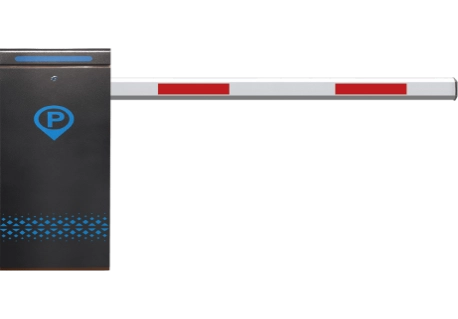
Connect a parking ticket system to a pedestrian route
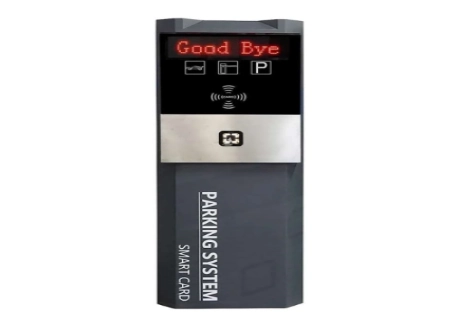
Occasionally, a facility deploys a parking ticket system to manage foot traffic. This scenario arises when visitors walk from a parking area into a primary building or a secure zone. If you encounter this setup, you must outline the pedestrian route independently. Determine precisely which ticket status permits that individual to enter. The turnstile controller requires only essential data. It merely needs adequate information to unlock the appropriate pedestrian lane.
You should never assume that a functional ticket in one zone automatically grants access everywhere. Operators must verify whether visitors can utilize that identical ticket for walking entry. Confirm if the pass remains strictly for single use. Furthermore, determine how the software processes an individual who is already inside the facility. Technicians must program these exact rules directly into the ticketing configuration. Avoid leaving these crucial guidelines as informal verbal instructions for the security personnel.
Keep the ticket parking system and turnstile responsibilities clear
Certain installation teams label the software as a ticket parking system. Meanwhile, other groups might designate it as a parking ticket system. Regardless of the preferred terminology, the digital integration demands a highly precise approval result. The setup also necessitates a distinct turnstile reaction alongside an accurate event log. Planners should avoid ambiguous project phrases like “automatic checking.” If you include that term, the project documentation must detail exactly what the equipment evaluates. The document must identify the specific system performing the task and explain the resulting action.
The expression turnstile autocheck does not represent a single, universal technical standard. While drafting a project brief, you must clarify its precise definition. Specify whether the term means verifying ticket validity or confirming lane usage. Alternatively, it might indicate blocking a subsequent entry attempt or recording a passage log. Utilizing highly explicit language benefits all involved parties. Clear communication ensures the ticketing provider and the turnstile team construct the exact same workflow.
Plan for network loss and exception handling
Administrators need to determine how the lane operates if the primary ticketing service goes offline. Depending on the particular location, the gate might remain completely locked. The device might follow a designated offline protocol instead. Alternatively, the system could direct users toward a human attendant. No single configuration works flawlessly for every building. The optimal choice relies heavily on local security requirements and general safety standards. This decision also depends on staff availability and the actual risks associated with a missed or duplicated entry.
Ensure you document which personnel possess the authority to authorize a manual entry. Additionally, note how the software logs that human intervention. Implementing a strictly defined exception process proves highly beneficial. A clear protocol prevents security staff from inventing random workarounds at various entrance lanes.
What Should a Site Confirm Before Installation?
The ideal moment to resolve an integration issue is before the hardware reaches the building. Project managers should request that both the ticketing and turnstile teams meet collaboratively. These groups must review the exact same workflow plans. Furthermore, the technicians should examine the interface notes and the testing scenarios together.
Verify the scanner, controller, and gate signals
Installers must confirm that the scanner successfully reads the selected ticket format. Additionally, verify that the ticketing platform can transmit a compatible approval signal to the turnstile controller. Technicians should double-check the digital interface alongside the physical cable routes. Carefully review the power requirements, the designated walking directions, and all network connections. Occasionally, a specialized signal or a unique reader remains absent from the primary turnstile configuration. If this situation occurs, you must determine which vendor will supply the missing component. You also need to establish who will conduct the testing.
Test real entry scenarios, not just a successful scan
The concluding testing phase must encompass numerous distinct situations. Evaluators should test a valid ticket, an expired pass, and a duplicated credential. Attempt to use an unreadable barcode and a cancelled approval. Furthermore, assess the system’s response when an individual receives authorization but refuses to walk through the lane. Ensure you simulate a sudden network failure and evaluate the manual staff override procedure. These specific scenarios demonstrate whether the entire system functions correctly. Such thorough checks reveal significantly more than a single reader simply flashing a green light.
Keep records useful and personal data protected
Administrators should retain the event details necessary to operate the entrance smoothly. Preserve data that assists in resolving disputes. This includes the exact time, the lane number, the system decision, and any generated error codes. However, organizations must limit the collection of personal information. Only store the details that the facility genuinely requires. Restrict which personnel can access this data. Additionally, establish a reasonable deletion schedule. Occasionally, the system utilizes biometric scanners or processes other sensitive data. In those instances, legal teams must review local privacy laws. Always provide visitors with a fair alternative entry method if regulations demand it.
Give turnstile installers a clear commissioning checklist
The turnstile installers require substantial information before they commence work. Supply these teams with the lane layouts, the wiring diagrams, and the interface notes. Provide the established access rules, the emergency protocols, and the final testing procedures. During the project handover phase, supervisors must test every single credential type. Ensure each format triggers the correct response in both walking directions. Finally, leave the precise system settings and the technical support phone numbers with the local building team. This straightforward step guarantees that a future turnstile repair job avoids blind guessing.
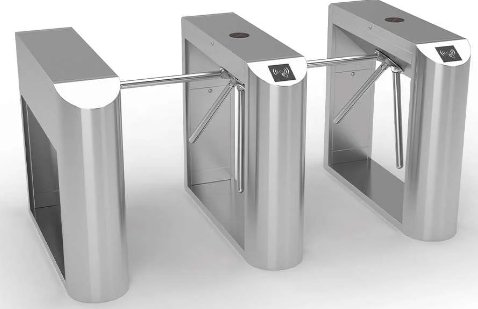
How Does KARSUN turnstile Help Connect Ticketing and Pedestrian Access?
At KARSUN turnstile, we begin by studying how visitors will walk up to the lane. We look at the specific credentials the facility wants to check. We also figure out what the gate needs to do after an approval or a rejection. Next, we sit down with the project team. We review the chosen gate style and the digital interface needs together. Ticketing software and hardware readers change from place to place. Because of this, we always suggest checking system compatibility first. We also recommend planning the exception rules before you lock in the final configuration.
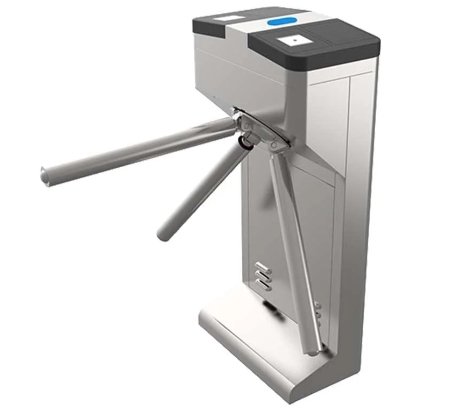
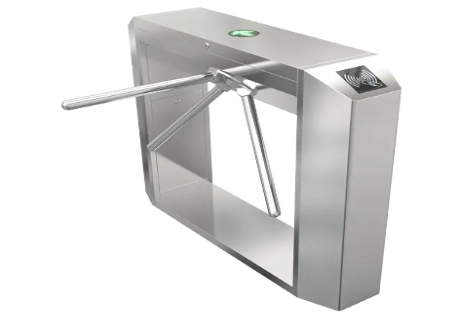
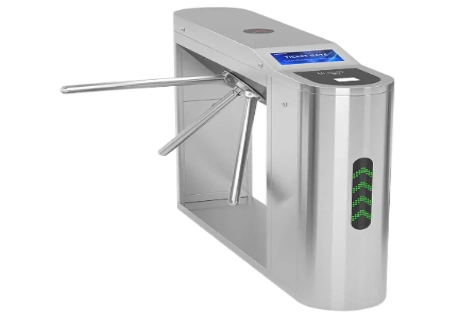
If you need an outdoor ticketed entrance, we supply the JS-SGZ006 Ticket Tripod Turnstile Gate For Outdoor. This special tripod model handles outdoor environments very well. You can order it with a fully automatic setup or a semi-automatic design. The official product details highlight a strong IP65 rating against water and dust. It also works easily with existing or custom-built ticketing software. However, the project team must still verify a few details. They need to check the specific reader, the software connection, and the required daily operating mode.
Some locations need a very simple, one-person walking flow. For these spots, the JS-SGZ001 Bridge Tripod Turnstile Gate offers a solid bridge-style tripod layout. It features a tough SUS304 stainless-steel body. This unit easily links up with standard access-control systems, provided the digital interface matches. This flexibility makes it a wonderful choice for modern gyms and school campuses. It also fits nicely into ticketed zones and other secure walking entrances.
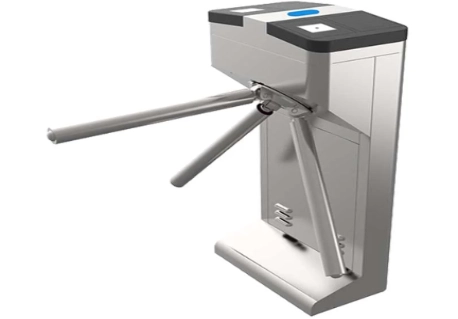
De JS-SGZ002 Semi-Automatic Turnstile Tripod Gate provides a classic semi-automatic tripod setup. It works great for facilities that want a traditional, highly controlled walking routine. You might consider this unit for large event venues and busy transport hubs. It shines when a project demands a strict one-person flow. It also works perfectly when you can easily match the ticket signal to the main gate controller.
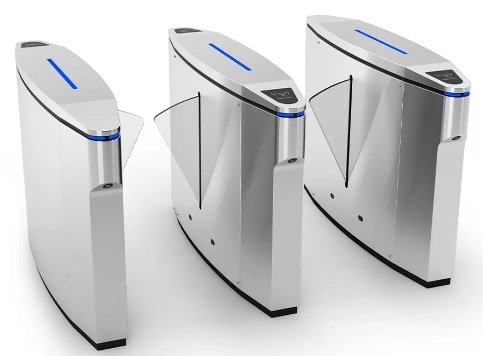
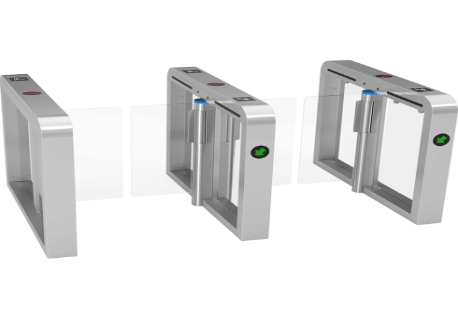
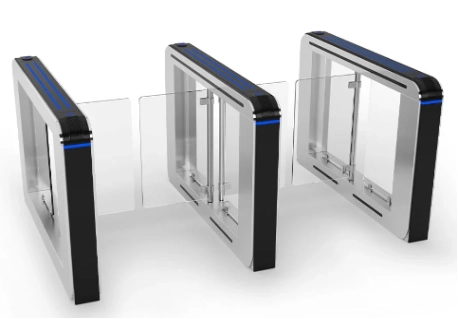
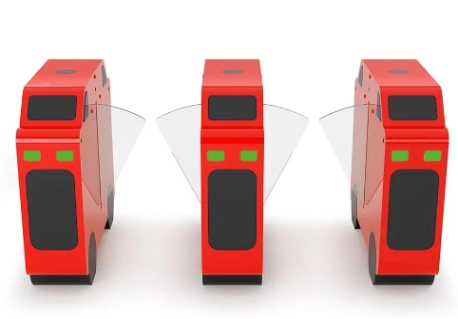
Sometimes, a building owner wants a wide, open-feeling walking path. In that scenario, we gladly suggest looking at the JS-TD6301-21 Flap Barrier Turnstile Gate. The installation team needs to double-check the internal sensor layout. They must also verify the lane movements and the door timing with the chosen ticket reader. This careful checking ensures a good scan opens the correct path. It also guarantees a bad scan shows a clear warning to the visitor.
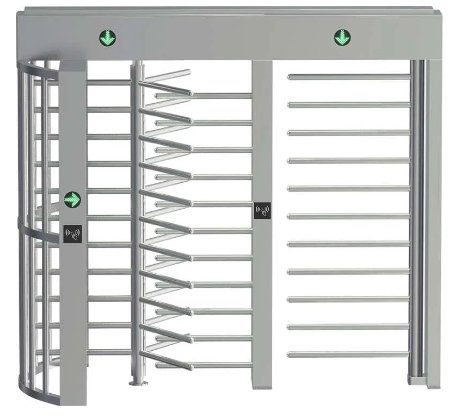
Certain large projects require multiple secure lanes and different scanning methods. For these big jobs, the JS-QGZ004 Dual Lane Full Height Turnstile Bi-directional RFID QR Code Access Control System stands out. It features two separate lanes and two-way walking operation. It also supports standard RFID and QR scanning. However, your tickets might use a totally different barcode format. They might also need a highly specific software connection. If so, we strongly advise testing that digital interface before you buy the equipment.
You cannot simply swap these different gate options in every single building. When our team looks at a new project, we study the daily walking flow. We look at the ticketing steps, the travel directions, and the local weather. We also check the software interface and the long-term maintenance needs. Looking at everything together is highly important. That is exactly how a turnstile scanner becomes a reliable part of your entrance, rather than just a lonely piece of hardware.
FAQs
Q: How do I choose the best turnstile gate for ticket scanning?
A: You should start by checking the required ticket format and the peak visitor traffic. Look at the walking direction and the physical environment. Also, find out what kind of digital signal the ticketing system sends. After gathering those details, you can compare different gate styles. Choose a tripod, flap, or full-height model that perfectly matches your local security and wheelchair access needs.
Q: Can a parking ticket system work with a pedestrian turnstile?
A: Yes, it certainly can. The software just needs to send a very clear approval message for the walking route. The turnstile controller must also be able to read and use that message. Before you install anything, you must confirm the basic ticket rules. Check how the software handles copied tickets and walking directions. Also, define the exact manual steps for any system errors.
Q: What does turnstile autocheck mean at a ticketed entrance?
A: This specific term can mean several different things. It might mean automatic ticket checking or physical passage confirmation. It could also refer to blocking copied tickets or saving a digital log. Because it is not a strict, universal standard, you need to be careful. Always write down the exact system checks and hardware responses in your official project documents.
Q: Can a facial recognition software device connect to a turnstile scanner?
A: Yes, it can easily join the same access workflow. However, the identity software, the gate controller, and the digital signals must be fully compatible. You need to check how the building prioritizes different credentials. Also, figure out what happens when a face scan fails, and ensure the system saves a proper entry log.
Q: What should turnstile installers test before a ticketed lane opens?
A: The installation crew needs to test many things. They should try valid, broken, copied, and totally unreadable tickets. They must check the door release action and the passage sensors. They also need to test the fire alarm behavior, a sudden network drop, and the manual staff override steps. Writing all these test results down helps a lot. A clean, documented handover makes any future turnstile repair much easier.